Connecting orders and devices

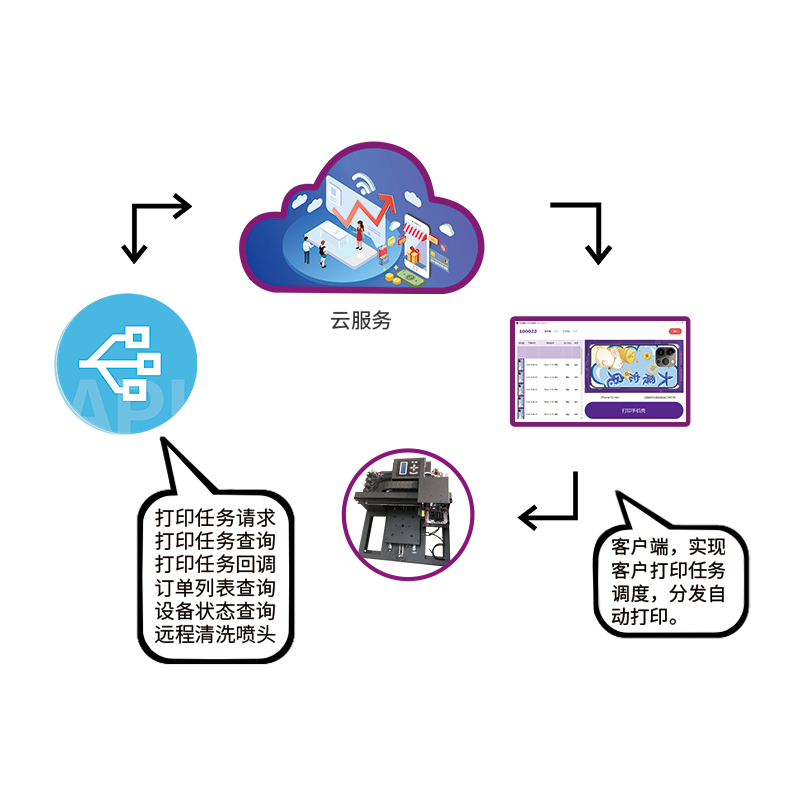
How does an order become a print job?

Websites, store computers and kiosks connect differently. Choose an internet connection, local control or custom development based on where orders are placed and printed.

Find the right connection ↓
Your order pagePrint platform
API
Printer
✓
CREATE JOBCALLBACK

Choose how you will use it

What do you want to achieve first?

Pick one and we will highlight the best path.
Internet printing
Print remotely from a website or app workflow
Internet integration

Print remotely from a website or app

Create print jobs over the internet from a website, mini app or mobile app, then query status and receive callbacks.

  • Web, mini app and mobile
  • Remote print job management
  • Status query and callbacks
Read network integration guide ↗
Local printing
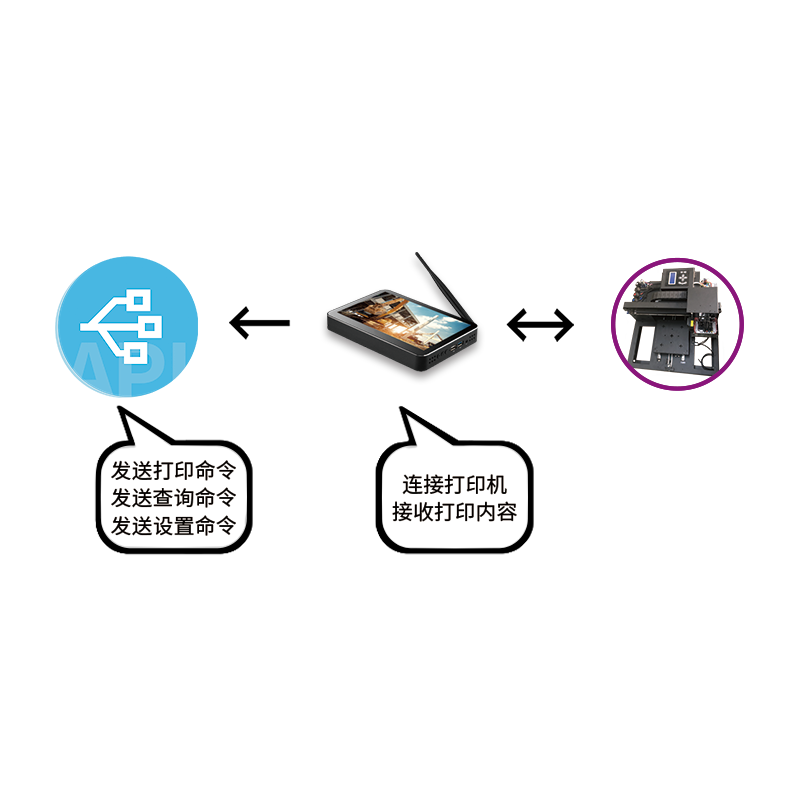
Control a printer locally workflow
Local-network integration

Control a printer locally

Control printing from an in-store terminal, local network or fixed device workflow.

  • In-store and local network
  • Direct local system calls
  • Fixed device workflows
Ask about local integration ↗
Custom integration
Custom printing workflow
Custom integration

Adapt an existing workflow

For special devices, industry rules or existing production systems that need a jointly designed workflow.

  • Special devices or industries
  • Define input, output and scale
  • Joint technical assessment
Discuss your requirements ↗

Common uses

See how orders can reach your equipment.

Online orders, self-service purchases and staff-operated printing have different needs. Find the setup closest to yours.
Full view of a connected custom printer
Orders from a website or app

Send online orders to your printer

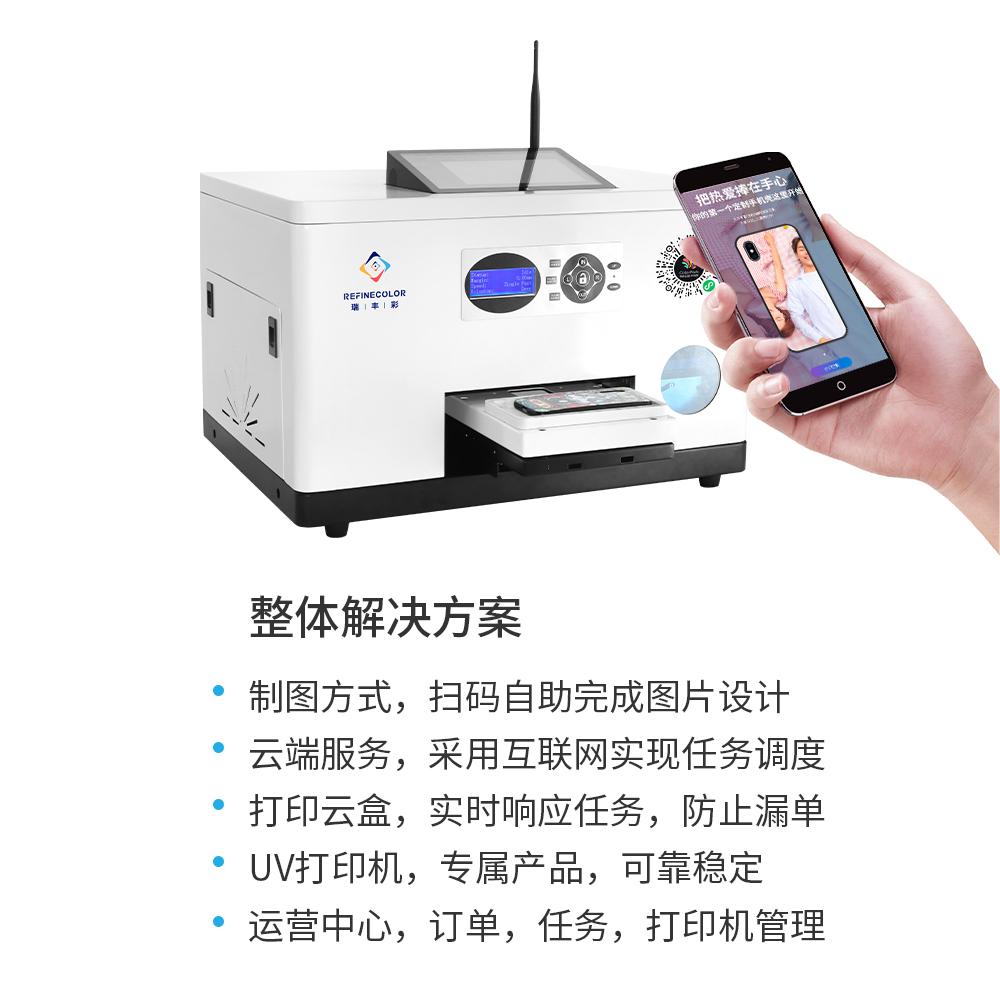
Customers choose and confirm artwork online; the platform creates the job and your connected device produces it.

Read internet integration docs ↗
Full view of a three-channel embedded print module
Self-service equipment

Build the module into a kiosk

Keep your enclosure, screen and payment flow while the module receives jobs and reports status or alerts.

Read kiosk integration docs ↗
Full product photo of the open print module
In-store operation

Help staff manage orders and pickup

A local terminal creates and queues jobs while staff handle loading, pickup and alerts.

Discuss local integration ↗
Full engineering blueprint of the print module
Custom devices

Design your finished device around the module

Use the engineering view to plan space, then add job creation, pause, resume, cancellation and callbacks to production.

Read how to send a print job ↗

Connection steps

Four steps to connect your system

  1. 01

    Confirm the scenario

    Who prints what, from which client.

  2. 02

    Prepare your account and device

    Prepare account, device and connection details.

  3. 03

    Run the first job

    Create, query and verify a print job.

  4. 04

    Connect orders and error handling

    Handle states, errors and callbacks.

Try your first job

Ready to run your first print job?

Open developer docs ↗